Connecting to Supabase
This guide walks you through connecting Agent M to your Supabase PostgreSQL database using the recommended Session pooler method.
Prerequisites
- A Supabase account (sign up free)
- A Supabase project (existing or new)
Step-by-Step Guide
1Open Supabase Dashboard
Go to supabase.com/dashboard and sign in to your account.
2Select or Create a Project
- • Select an existing project from your dashboard, or
- • Click New Project to create a new one
3Open the Connection Dialog
Click the Connect button at the top of the project page.

4Select Session Pooler Method
In the connection popup:
- Click on the Method dropdown
- Change from "Direct connection" to Session pooler
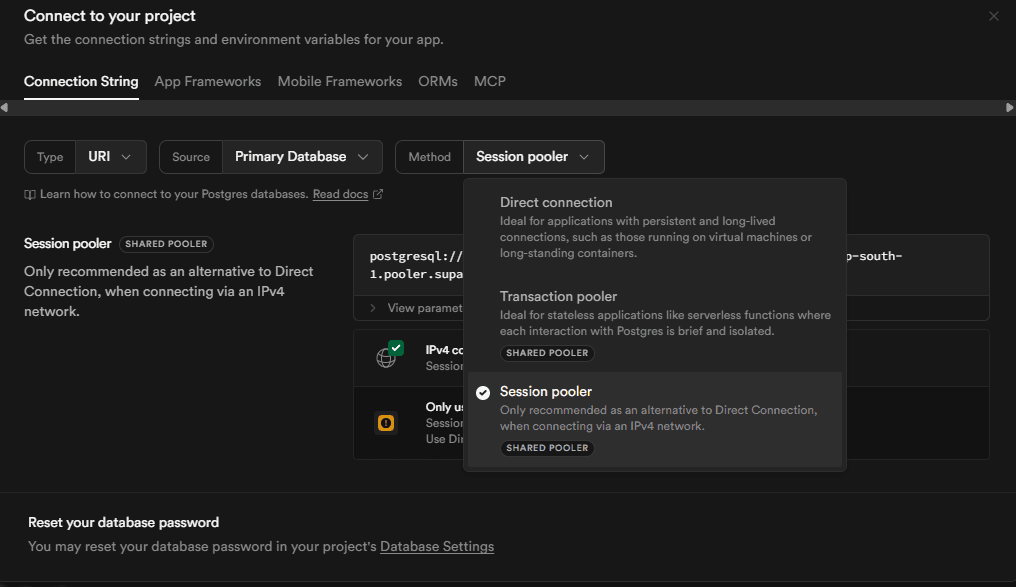
Why Session Pooler?
Session pooler is recommended when connecting via IPv4 networks. It provides connection pooling which is more efficient for applications like Agent M.
5Copy the Connection String
Copy the connection string (URI format) shown in the dialog. It will look like:
postgresql://postgres.[PROJECT-REF]:[YOUR-PASSWORD]@aws-0-[REGION].pooler.supabase.com:5432/postgres6Add Your Password
Replace [YOUR-PASSWORD] in the connection string with your actual database password.
Forgot your password?
You can reset it in your project's Settings → Database.
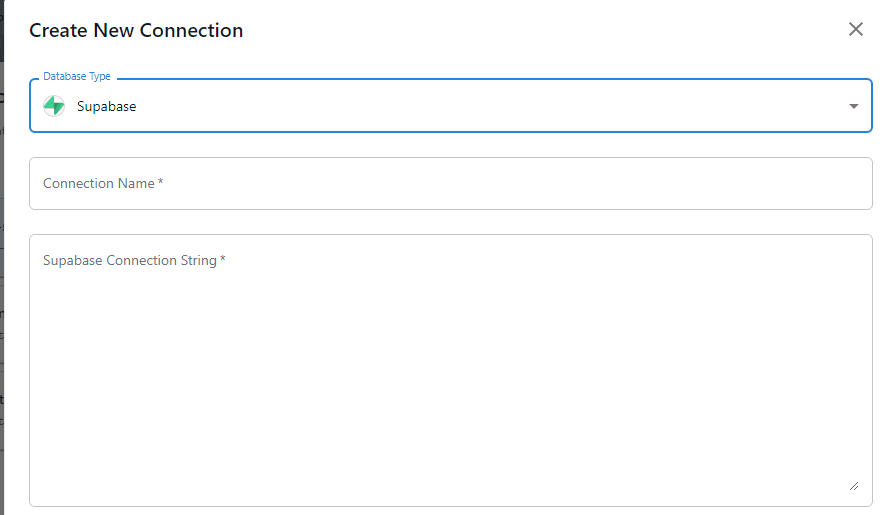
7Connect in Agent M
- Open Agent M
- Create a new connection
- Select Supabase as the database type
- Enter a name for your connection
- Paste the complete connection string with your password
- Click Connect
Connection String Format
The Supabase Session pooler connection string format is:
postgresql://postgres.[PROJECT-REF]:[PASSWORD]@aws-0-[REGION].pooler.supabase.com:5432/postgres| Component | Description |
|---|---|
| postgres.[PROJECT-REF] | Your username (includes project reference) |
| [PASSWORD] | Your database password |
| aws-0-[REGION] | Supabase regional server |
| 5432 | PostgreSQL port |
| postgres | Default database name |
Troubleshooting
Password Issues
If you've forgotten your database password, go to your Supabase project, navigate to Settings → Database, and click Reset database password.
Connection Timeouts
- Ensure you're using the Session pooler method (not Direct connection)
- Check that your network allows outbound connections on port 5432
Authentication Errors
- Verify the password is correct and properly inserted in the connection string
- Ensure special characters in the password are URL-encoded